On October 12, 2026, I took modernmarketingstl.com from a freshly bought domain to a live website in one working session. AI agents did the drafting and the building. I directed them and checked their work. If you've wondered whether you can build a website with AI agents, this is what it actually looked like, in order, including what broke.
I'm writing it down because most "I built a site with AI" stories skip the boring parts. The boring parts are where sites break. This is the true log, not a highlight reel.
Why I rebuilt: the old site only rendered with JavaScript
My old site was a Lovable app. It looked fine in a browser. The problem was underneath: it rendered only with JavaScript. A browser runs that code and shows you the page. Many crawlers don't, so non-Google search crawlers and AI crawlers saw very little of what was on it.
For a marketing site, that's a real problem. If the tools people use to find businesses, including AI assistants, can't read your pages, your words don't count for much. That one fact drove most of the decisions that followed.
The number on this site is an AI agent. Ask it whether your website can be read by search engines and AI tools, and it will book a 30-minute call with me.
Step 1: Get the offer straight before you build a website with AI agents
I didn't start with code. I started with a three-round interview with myself about the offer: who it's for, what they get, and how it's different. Then the agents turned that into a concept packet, and the concept packet into a clickable wireframe I could test before a single real page existed.
This order matters more than any tool choice. AI agents are fast, and fast in the wrong direction is expensive. If the offer is fuzzy, the pages come out fuzzy, and you end up rewriting everything. A wireframe you can click is cheap to change. A finished site is not.

Step 2: Choosing a static website for a small business
Next came the platform decision. I chose plain static HTML on the HostGator hosting I already had. I rejected WordPress, and I rejected an app builder.
Here's the tradeoff as I see it:
| Option | What it's good at | Why I passed |
|---|---|---|
| App builder | Fast to make something that looks good | That's what I was leaving. JavaScript-only pages were the problem. |
| WordPress | Lots of people editing in a dashboard | More moving parts than a one-person marketing site needs |
| Static HTML | Plain files every crawler can read | Picked it |
Static HTML is about as boring as web tech gets. That's the point. The pages are just files on a server. Nothing has to run for a crawler to read them.
Step 3: The content, and the logo I threw away
With the structure settled, the agents drafted 7 blog posts from my own angles: things I actually think about marketing, not generic filler. Every one went through me before it went anywhere.
Then the logo. The first draft read like a fast-food arches logo. Not what you want for a marketing business, and not something I'd ever put my name on. So it got scrapped. The final logo is a single Gateway Arch with three rising bars.
That's a small story, but it's the whole job in one example. The agent produced something that technically met the brief. It took a person to look at it and say, "No, that reads wrong." AI makes confident mistakes, and they look finished.
Free tool
See what search engines see on your site. The free SEO audit checks your pages, runs a speed test and sends you a PDF you can act on.
Step 4: A Python generator built the pages
Instead of hand-writing every page, a Python generator built the site. It produced 20 pages plus a 404 page, with:
- Schema. Structured data that tells search engines what each page is. Here's what schema markup is in plain English.
- A sitemap. A list of every page, so search engines don't have to guess.
- robots.txt. The file that tells crawlers what they may visit.
- .htaccess. The server rules file. This one ended up doing more work than planned (more below).
- Branded post headers. Consistent headers for the blog posts.
The advantage of a generator is consistency. Change the template once and every page follows. It also means the boring technical pieces get built every time, instead of being forgotten on page 14.
Step 5: Going live, and what broke
This is the part most build stories skip. Two things got in the way, and each needed a person to notice.
The domain pointed at a parking page
The domain's DNS A records were pointing at a parking IP, not at my hosting. Until that was fixed, the site wasn't going to show up anywhere, no matter how good the pages were. Fixed the records, moved on.
Force HTTPS was grayed out
The SSL certificate was issued fine. But cPanel's Force HTTPS toggle was grayed out for the addon domain, so I couldn't just flip a switch. The HTTPS redirect and the www redirect got written into .htaccess instead. Same result, different route.
Then the last steps
With the site live on HTTPS, Search Console got verified and the sitemap submitted, so Google knows the pages exist. Tag Manager went on so tracking can be managed in one place.
That's the full session, start to finish. Since then the site has kept growing with more posts, free tools and service pages. More about who's behind it is on the about page.
How I direct AI agents and check their work
What does "directing AI agents" actually mean? In this build, it looked like this: I set the decisions (offer, platform, logo, structure), the agents produced drafts and code, and I reviewed everything before it shipped. When something was wrong, it went back or got fixed: the arches logo, the DNS records, the HTTPS redirects.
I wrote down the review steps I use in the checklist I run before any AI marketing goes live. And if you're curious how far these agents go now, AI can now use your marketing tools covers that.
Most people use AI like a search bar. I run it like a staff.
What I'd tell an owner who wants to build a website with AI
- Decide the offer first. No tool fixes a fuzzy offer. Write down who it's for and why they'd pick you.
- Pick boring tech. If your current site only renders with JavaScript, find out what crawlers actually see.
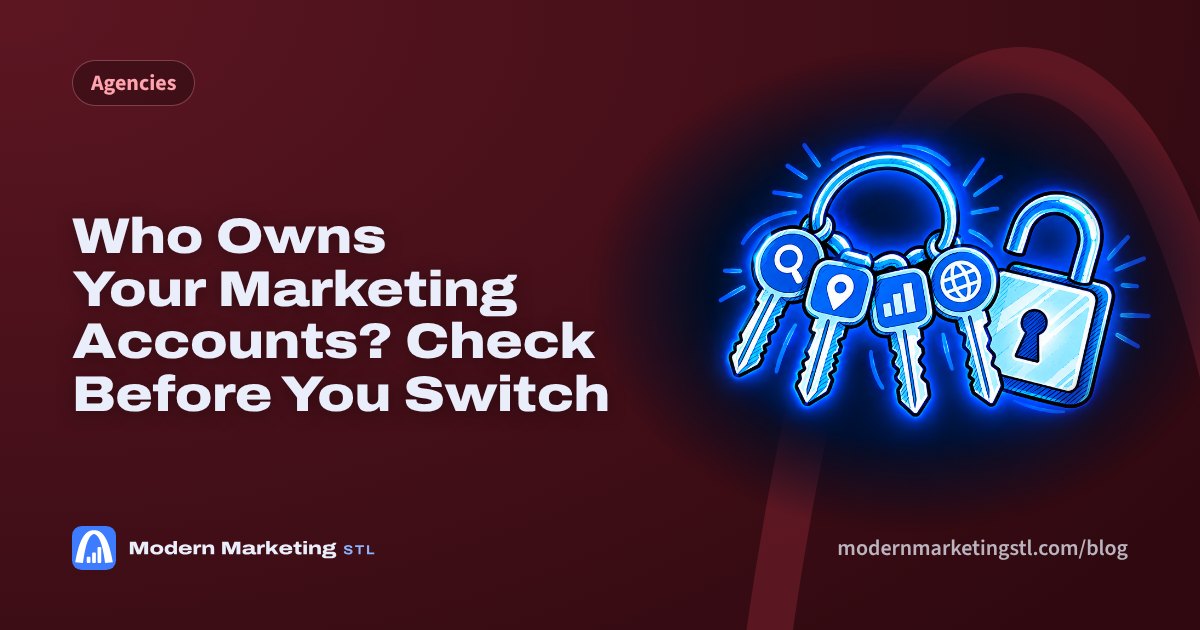
- Own the pieces. Your domain, hosting and Search Console should be in your name. Here's how to check who owns your marketing accounts.
- Check the plumbing yourself. DNS, SSL, redirects, sitemap. These break quietly.
- Have someone review everything. AI drafts fast and confidently. That's not the same as right.
If you're shopping for an AI website builder for your small business, ask one question before anything else: can a crawler read the pages without running JavaScript? Ask the vendor directly. If they can't answer clearly, that tells you something. A pretty site that search engines and AI assistants can't read is a brochure in a locked drawer.
One honest caveat. One working session was possible because I've done this kind of work for years and knew what to check. It's not a promise that every site takes a day, or that yours should.
If you'd rather not run the agents yourself, that's what I do. I build and maintain websites for small businesses this same way, and you own the domain, hosting and every file. Look at the websites service for what's included, or book a call.
Quick answers
Can AI agents build a small business website by themselves?
They can draft and build most of it, but not by themselves. In my build, the agents wrote pages, generated code and handled a lot of setup. I made the decisions and checked the work, and the things that broke (a logo, DNS, an HTTPS setting) needed a person to notice. Treat agents like fast staff who need a director.
Why use static HTML instead of WordPress for a small business site?
Plain static HTML is just files on a server, so any crawler can read the content without running JavaScript, and there are no plugins to keep updated. For a site that's mostly service pages and blog posts, that's a good fit. If you need lots of people editing content in a dashboard, a system like WordPress can make more sense.
What should I check before an AI-built website goes live?
Check that the domain's DNS points to your real host, that SSL is issued and every version of the address redirects to one HTTPS address, that the sitemap and robots.txt exist, and that Search Console is verified. Then read every page as a customer would. AI makes confident mistakes, and they look finished.

Alex Lamy16+ years in marketing, from radio to agencies to running his own shop. Now he runs a team of AI agents that do the marketing for St. Louis small businesses. You talk to him, and he checks every piece.
Want this handled?
Starting at $499 a month. You work straight with me, and you can cancel any month. My AI agents do the production, I check every piece, and we meet every week. You own everything.